Choosing the right website platform is no longer a simple design decision. Today, your website is often:
- your primary marketing channel,
- a lead generation engine,
- a content distribution platform,
- and, in many cases, a product experience itself.
This chooses between Webflow, WordPress, and Headless CMS, strategic – not cosmetic.
Each approach solves a different problem. Selecting the wrong one can lead to unnecessary complexity, security risks, or costly rebuilds later.
Understanding the Three Approaches
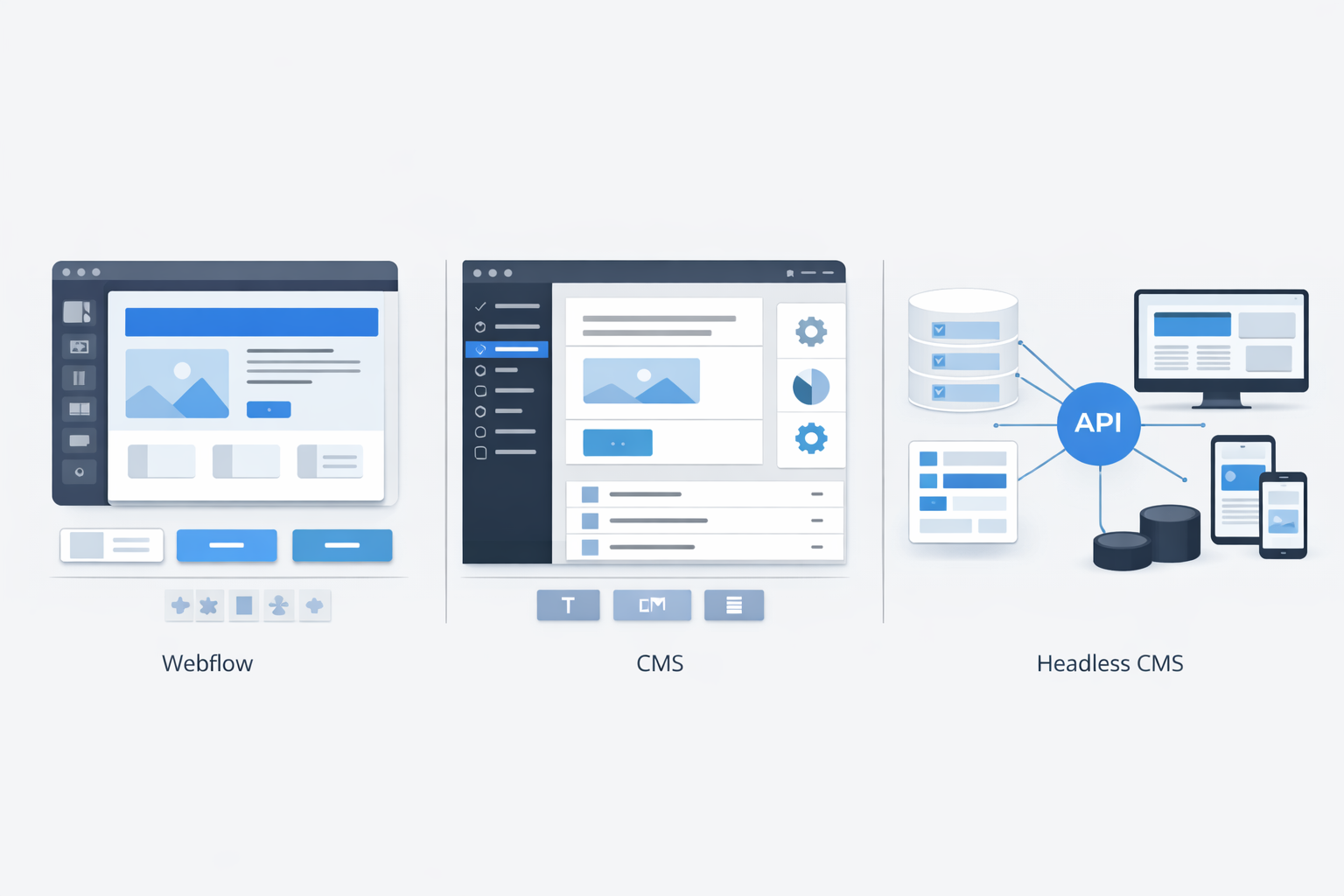
Before comparing, it’s important to understand what each platform fundamentally represents.
Webflow
Webflow is a visual website builder combined with a managed CMS and hosting. It allows teams to design, build, and publish websites without writing much code.
Best known for:
- Design flexibility
- Fast publishing
- Strong marketing workflows
WordPress
WordPress is a traditional CMS that powers a large portion of the web. It combines content management, themes, plugins, and hosting flexibility.
Best known for:
- Content-heavy sites
- Plugin ecosystem
- Community and extensibility
Headless CMS
A headless CMS separates content management from presentation. Content is managed in a backend system and delivered via APIs to any frontend (web, mobile, app).
Best known for:
- Flexibility
- Scalability
- Multi-channel content delivery
Webflow: Best for Design-Led Marketing Sites
Where Webflow Shines
Webflow excels when:
- Design quality matters deeply
- Speed of iteration is critical
- Non-developers need control
- The site is marketing- or content-focused
Key Advantages
- Visual editor with pixel-level control
- No need for plugins
- Built-in hosting and security
- Fast page performance
- Easy SEO management
- Clean publishing workflows
Limitations
- Limited backend logic
- Not ideal for complex applications
- Scaling content models can become restrictive
- Vendor lock-in concerns
Best Fit
- Startup marketing websites
- Landing pages and campaigns
- Brand-focused company sites
- Content-light to moderate sites
Rezolut often recommends Webflow for early-stage companies that want speed and strong visual branding without the complexity of a backend.
WordPress: Flexible, Familiar, and Content-Driven
Where WordPress Excels
WordPress works best when:
- Content is the primary focus
- Editorial workflows matter
- Plugins can solve most needs
- Budget and ecosystem flexibility are important
Key Advantages
- Massive plugin ecosystem
- Strong blogging and editorial tools
- SEO-friendly with the right setup
- Flexible hosting options
- Large talent pool
Limitations
- Plugin conflicts and maintenance
- Security risks if poorly managed
- Performance optimization required
- Can become bloated over time
Best Fit
- Blogs and content-heavy websites
- Publishing platforms
- SEO-driven sites
- Small to medium business websites
Rezolut typically recommends WordPress when content volume and flexibility outweigh the need for advanced custom frontends.
Headless CMS: Built for Scale and Flexibility
What Makes Headless Different
Headless CMS decouples content from presentation. You manage content once and deliver it anywhere.
Key Advantages
- Frontend freedom (React, Next.js, mobile apps)
- Scales well with traffic and content
- Better performance and security
- Supports multi-channel delivery
- Clean separation of concerns
Limitations
- Requires engineering effort
- Higher initial setup cost
- Not ideal for small teams without developers
- Editorial UX depends on implementation
Best Fit
- SaaS platforms
- Content used across web + app
- High-performance sites
- Long-term scalable systems
Rezolut often recommends a headless CMS for product-driven companies planning for scale or complex digital experiences.
Feature Comparison at a Glance
| Aspect | Webflow | WordPress | Headless CMS |
| Setup Speed | Very fast | Fast | Slower |
| Design Control | High | Medium | Frontend dependent |
| Backend Logic | Limited | Plugin-based | Fully custom |
| Performance | High | Variable | High |
| Scalability | Medium | Medium | High |
| Security | Managed | Depends on setup | Strong |
| Multi-Channel | No | Limited | Yes |
| Developer Dependency | Low | Medium | High |
6. Cost Considerations
Webflow
- Predictable subscription pricing
- Low maintenance costs
- Can become expensive at scale
WordPress
- Low core cost
- Plugin and hosting costs add up
- Maintenance overhead increases over time
Headless CMS
- Higher upfront cost
- Better long-term scalability
- Infrastructure and development costs required
Rezolut advises evaluating the total cost of ownership, not just initial pricing.
SEO, Performance, and Growth
Webflow
- Strong default SEO setup
- Fast loading
- Limited advanced SEO customization
WordPress
- Powerful SEO plugins
- Requires performance optimization
- Flexible but maintenance-heavy
Headless CMS
- Excellent performance when paired with modern frameworks
- Full control over SEO and structured data
- Requires expertise to set up correctly
For long-term SEO at scale, headless architectures often perform best.
Security and Maintenance
- Webflow handles security and hosting for you
- WordPress requires regular updates and monitoring
- Headless CMS isolates content from presentation, reducing the attack surface
Rezolut typically discourages poorly maintained WordPress setups for mission-critical websites.
How Rezolut Helps Teams Choose the Right Platform
Rezolut Infotech approaches CMS decisions through:
- Business goals
- Team capability
- Content strategy
- Growth roadmap
- Integration needs
Typical recommendations:
- Webflow for speed and branding
- WordPress for content-first strategies
- Headless CMS for scalable, product-driven platforms
The focus is always on avoiding rebuilds and enabling long-term growth.
Common Mistakes to Avoid
- Choosing Webflow for app-like behavior
- Overloading WordPress with plugins
- Going headless without developer capacity
- Treating the CMS choice as permanent
- Ignoring future content needs
CMS decisions should evolve with the business.
Conclusion
There is no universally best CMS – only the right CMS for your current stage and goals.
- Webflow is ideal for fast, design-led marketing sites
- WordPress is powerful for content-driven platforms
- Headless CMS is best for scalable, multi-channel experiences
Choosing wisely early saves time, cost, and technical debt later.
At Rezolut Infotech, CMS decisions are made as part of a broader product and growth strategy – ensuring websites support the business, not constrain it.